5 easy ways to increase your WiFi range
WiFi is one of the most important parts of using the internet. You are probably reading this blog using WiFi. Your internet experience involves loading websites, watching YouTube...
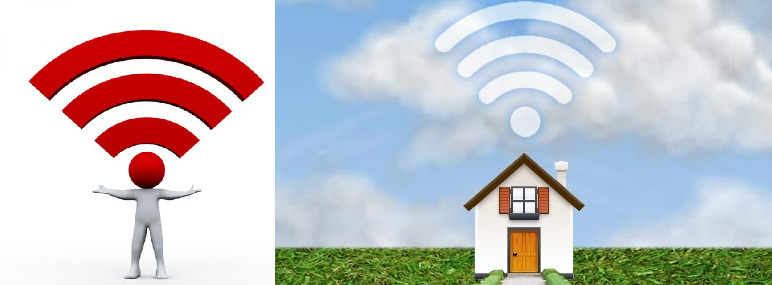
WiFi is one of the most important parts of using the internet. You are probably reading this blog using WiFi.
Your internet experience of loading websites, watching YouTube videos, going through Facebook photo’s or trying to even connect to the internet is great when it’s fast and smooth, but it can be daunting task trying to find the WiFi zone around the house between all dead zones just to be able to connect.
If you are like many of us whose WiFi doesn’t extend throughout your house, here are 5 basic tips to increase its range.
Location, location, location
Your router’s location plays an important part in the WiFi range. Although it might not match your décor, hiding it on the floor, behind your TV and 3 walls won’t help. The less walls and obstacles it needs to travel through the better.
- Elevate your router
The higher it is placed, the fewer obstacles it needs to travel around i.e. walls, T.V’s, dishwashers, computers, desks etc. Waves travel down and laterally.
- The centre of your house provides the best range
It won’t help if your router is in the corner of the room at the end of your passage. Place your router as central as possible.
- Minimise mirrors
All metallic surfaces reflect Wi-Fi signals, including the thin metal layer in most mirrors.
- Place it away from other electronic appliances
Place your router away from power cords, computer wires, microwaves, TV’s, baby monitors, etc., as these wires and waves can interfere with radio reception.
- Minimise travelling through walls
Problems can be caused if the signal has to bounce around too many corners and walls to reach your wireless devices. Old houses have this problem more than modern, open-plan ones.
Find the right router channel
Your neighbours' routers can interfere with yours and cause your signal to be interrupted. You can also stack up wireless channels from devices you used to use but not anymore. Similar to choosing a path to hike, if everyone chooses the same path it will become congested and slow. Wireless routers operate on different channels and it’s best to ensure your router is on a channel with as little interference as possible. You can view your channel in your Control Panel to see just how busy your wireless network is and remove the Wi-Fi names that you don’t use. ( to clean it up.)
WiFi access protection
Protect your Wi-Fi range by ensuring your WiFi has a password that only the members in your house know. It is very easy for your neighbours to use your WiFi if it isn’t secured with a password.
Purchase a wireless range extender
These nifty devices must be placed in an area with solid connection. It then grabs an existing wireless signal and boosts it to areas in your home with bad reception.
Although Web Africa doesn’t offer range extenders, they are widely available and easy to configure yourself. Simply follow the manual provided with your purchased extender to have it setup in no time!
Purchase a range extender from the Webafrica Store
Loved the read? Get the speed to match.
Check Fibre & Fixed Wireless coverage at your address in seconds.
More in General
View all →
The Ultimate Household Internet Olympics: Who Uses the Most Data?
Welcome to the Household Internet Olympics, where the competition is fierce, the WiFi is busy, and everyone claims they're "hardly using any data." 😅

Level up your game with Fibre that can keep up
Every dropped packet. Every endless loading screen. Every disconnect right before you clutch the win. It’s frustrating. When you’re gaming online, milliseconds matter...